Best xTool Laser Engraver in 2026: Which xTool Should You Buy?
Our top picks
 Best xTool to start with: Class 1, two cameras, arrives assembled, about $499xTool M2 10W Color Craft Laser10 W diode · Enclosed · 426 × 320 mm8.5Price tier: BudgetCheck price on Amazon
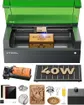 Best Class 1 xTool for cutting: 40 W diode, 498 × 319 mm bed, about $1,819xTool S1 40W Enclosed Diode Laser40 W diode · Enclosed · 498 × 319 mm8.5Price tier: PremiumCheck price
 Best xTool for most makers who can vent: 55 W CO2 with clear acrylic, about $2,919xTool P2S 55W Desktop CO2 Laser55 W co2 · Enclosed · 600 × 305 mm8.7Price tier: PremiumCheck price
 Best portable xTool: 15 W diode plus 5 W IR galvo, about $1,219xTool F2 Portable Dual Laser15 W dual laser · Galvo (portable) · 115 × 115 mm8.1Price tier: Mid-rangeCheck price
 Best xTool for a mixed metal and wood shop: 20 W fiber plus 20 W diode, about $2,499xTool F1 Ultra 20W Fiber & Diode20 W dual laser · Galvo (portable) · 220 × 220 mm8.2Price tier: PremiumCheck price
 Best xTool for pro metal work: 60 W MOPA plus 40 W diode, about $5,099xTool F2 Ultra 60W MOPA & 40W Diode60 W dual laser · Galvo (portable) · 220 × 220 mm8.5Price tier: ProCheck price
 Best xTool for production: 80 W Class 1 CO2, 915 × 458 mm bed, about $6,299–7,899xTool P3 80W Flagship CO2 Laser80 W co2 · Enclosed · 915 × 458 mm8.6Price tier: ProCheck price
The best xTool laser engraver for most people is the xTool P2S, a 55 W desktop CO2 that cuts thick wood and clear acrylic, if you can vent it outside. If you can’t, or you’ve never used a laser, the xTool M2 10W is the safer first xTool. Past those two, the right xTool depends on your material: an enclosed diode for wood and crafts, CO2 for acrylic and sheets, or a galvo and dual-laser machine for metal.
This is a research-based guide. We compared xTool’s spec pages, Amazon listings and independent reviews, and we haven’t run these machines ourselves. Prices are the lowest we saw on Amazon as of late October 2026; check today’s price before you buy.
The xTool lineup at a glance
| xTool | Type | Output | Work area | Laser class | LightBurn (our data) | Price | Best for |
|---|---|---|---|---|---|---|---|
| M2 10W | Enclosed diode | 10 W | 426 × 320 mm | Class 1 | No | ~$499 | First laser, crafts |
| S1 40W | Enclosed diode | 40 W | 498 × 319 mm | Class 1 | Yes | ~$1,819 | Class 1 cutting |
| P2S | Enclosed CO2 | 55 W | 600 × 305 mm | Class 4 | Yes | ~$2,919 | Thick wood, clear acrylic |
| P3 | Enclosed CO2 | 80 W | 915 × 458 mm | Class 1 | No | ~$6,299–7,899 | Production shops |
| F2 | Galvo diode + IR | 15 W + 5 W | 115 × 115 mm | Class 4 | No | ~$1,219 | Portable, metal tags |
| F1 Ultra | Galvo fiber + diode | 20 W + 20 W | 220 × 220 mm | Class 4 | No | ~$2,499 | Metal and wood shop |
| F2 Ultra | Galvo MOPA + diode | 60 W + 40 W | 220 × 220 mm | Class 4 | Yes | ~$5,099 | Pro metal, color marking |
Power for the CO2 machines is xTool’s tube rating. Every other figure is optical output, not the electrical wattage printed in some listing titles. For a ranking that includes non-xTool machines, see our best laser engravers of 2026.
Which xTool should I buy? A four-step decision flow
Work through these in order and you’ll land on one or two models.
- What’s your main material? Wood, leather, dark acrylic and coated gifts point to an enclosed diode (M2 or S1). Clear acrylic, glass or full sheets of thick plywood point to CO2 (P2S or P3). Bare stainless, brass or titanium points to a galvo with IR or fiber (F2, F1 Ultra or F2 Ultra). Not sure? Check a material in our material checker.
- Who shares the room? In a classroom, office or family space, Class 1 matters, which narrows the field to the M2, S1 and P3.
- Do you have to carry it? Craft fairs and pop-ups call for the F2, which weighs 4.6 kg and arrives assembled.
- What’s the ceiling on spend? Under $1,000 means the M2. Roughly $1,200–1,800 means an F2 or S1. About $2,500–2,900 means an F1 Ultra or P2S.
If you want a second opinion across brands, our laser matcher filters all 16 machines we track by material, workspace and budget.
The affordable all-rounder: engraves and cuts wood, leather, cardboard and dark acrylic, and engraves coated metal. Can't cut clear acrylic or mark bare metal. Slower cutting than CO2.
Typical: 10–40 W output, $300–$2,000The cutting machine: faster, cleaner cuts in wood and every color of acrylic, plus glass etching. Bigger, needs water cooling and serious venting. Can't mark bare metal without a compound.
Typical: 40–55 W desktop, $2,000–$7,000The metal specialist: marks and deep-engraves stainless, aluminum, brass, silver and gold, and many plastics. Poor at wood and useless for clear acrylic or cutting sheet goods.
Typical: 20–60 W, $1,500–$5,000Mirrors steer the beam instead of a moving gantry, so it's extremely fast over a small field — ideal for personalizing many small items. Often dual-source (diode + IR) in hobby machines.
Typical: ~100 × 100 mm field, $500–$2,500The best xTool laser engraver for each buyer
xTool M2 10W: best xTool for beginners
The M2 is the xTool we’d point a nervous first-timer toward. It’s Class 1, arrives assembled, has a 5 MP panoramic camera and a 2 MP close-range camera plus autofocus, and the 426 × 320 mm bed is roomy for the price. The 10 W head cuts about 8 mm basswood and 3 mm black acrylic in one pass by xTool’s figures, so it’s an engraver that cuts thin stock.
The upgrade path is the point. Heads swap magnetically: a 20 W standalone costs about $899 and a 40 W about $1,199 (xTool claims 15 mm basswood in one pass for the 40 W), and a 3 W IR head or a CMYK inkjet can be added. The catches are xTool Studio only, no external air port, and a 2026 launch with a short reliability record. About $499; check the M2 10W price on Amazon. Weighing it against a cloud-based craft laser? Read xTool M2 vs Glowforge Aura.
xTool S1 40W: best Class 1 xTool for cutting
The S1 is the most powerful enclosed diode we track, and it’s Class 1. xTool claims 18 mm cherry wood in one pass, the 498 × 319 mm bed is the largest of our enclosed diodes, and it adds multi-point autofocus and LightBurn support. It’s the xTool for a school or home office that needs thick cuts without goggles.
Limits: no camera, air assist is an add-on, and a blue diode can’t cut clear acrylic. Availability is the bigger question. Amazon’s only S1 listing, about $1,819, is titled “Rotary Bundle,” so confirm what’s in the box, and xTool’s Canadian store lists the S1 under clearance. Check the S1 40W price on Amazon.
xTool P2S: best xTool for most makers who can vent
The P2S is our top overall laser. Its 55 W CO2 tube cuts 18 mm basswood and 20 mm acrylic in one pass by xTool’s figures, including clear acrylic and glass etching that no blue diode can do. Dual 16 MP cameras, LiDAR autofocus, a 600 × 305 mm bed and built-in air assist keep it close to a craft laser in ease of use.
It weighs 99 lb, is rated Class 4 as we track it, and the glass tube fades with use: xTool quotes about 95% power at 1,000 hours and about 70% at 6,000–8,000 hours. Plan a sturdy bench and a vent to the outdoors or an AP2 purifier. Check the P2S price on Amazon. Choosing between this and the S1? See xTool S1 vs xTool P2S.
xTool F2: best portable xTool
The F2 pairs a 15 W blue diode with a 5 W IR laser in a galvo head that moves the beam with mirrors at up to 6,000 mm/s. The diode handles wood, leather and dark acrylic, and the IR marks bare stainless, gold, silver and titanium. A 50 MP camera with autofocus handles batch placement.
It’s built for small items on the spot, not sheets: the field is 115 × 115 mm (400 × 115 mm with the slide extension), it’s Class 4, and it runs xTool Studio (LightBurn support is preliminary). About $1,219; check the xTool F2 price on Amazon. More on this format is in our best portable laser engravers guide.
xTool F1 Ultra: best xTool for a metal and wood shop
The F1 Ultra puts a 20 W fiber laser for bare metal and a 20 W diode for wood, leather and dark acrylic in one box, with a 220 × 220 mm galvo field, a 16 MP camera and batch fill. Make: liked it a lot but found laser alignment fiddly. It’s Class 4, xTool Studio is the officially listed software, and the F2 Ultra now sits above it.
At about $2,499 it makes sense when both metal and organics are part of the business. Check the F1 Ultra price on Amazon, and see xTool F1 Ultra vs LaserPecker LP5 for how it compares with the nearest rival.
xTool F2 Ultra: best xTool for pro metal work
The F2 Ultra’s 60 W MOPA fiber deep-engraves, embosses and color-marks stainless and titanium, and cuts thin brass and stainless by xTool’s figures; the 40 W diode covers wood and leather. Tom’s Hardware called it “the best experience we’ve had with metal engraving.” It’s overkill for the odd tumbler, at about $5,099 for the dual-laser version (about $4,099 for MOPA only). Check the F2 Ultra price on Amazon, or compare cheaper options in our best laser engraver for metal guide.
xTool P3: best xTool for production
The P3 is an 80 W Class 1 CO2 with a 915 × 458 mm bed, a built-in chiller and built-in CO2 fire suppression. It weighs 231.5 lb, is xTool Studio only, and costs about $6,299–7,899. Buy it when throughput and a certified Class 1 shared shop justify it; most home makers will be happier with the P2S at under half the price. Check the P3 price on Amazon.
xTool M2 vs S1 vs P2S vs F2: the short version
- M2 vs S1: both enclosed Class 1 diodes. The M2 is cheaper and has cameras but runs only xTool Studio; the S1 has far more cutting power and LightBurn support but no camera.
- S1 vs P2S: diode or CO2. The P2S adds clear acrylic, glass and cameras; the S1 stays Class 1 with no tube to maintain. See the S1 vs P2S head-to-head.
- M2 vs F2: a crafts-and-signs bed against a pocket-sized metal marker. They rarely compete for the same buyer.
- P2S vs F2: sheet cutting against small-item and metal marking. Need both? That’s two machines.
Not sure what separates the laser types? Start with diode vs CO2 vs fiber.
Class 1 vs Class 4: which xTool is safe for your room?
The FDA treats Class I lasers as non-hazardous and Class IV lasers as an immediate eye and skin hazard from the direct or reflected beam that may also present a fire hazard. A lid doesn’t change a machine’s class. xTool’s own comparison page lists the P3 as Class 1 and the P2S as Class 4, even though both have enclosed covers.
- Class 1 (lid closed): M2, S1 and P3 on our data. No goggles are needed with the lid shut, but you still need ventilation and a fire plan. xTool’s S1 Riser Base is sold for rotary work and tall objects while keeping the S1 Class 1.
- Class 4 with a lid: P2S, F2, F1 Ultra and F2 Ultra. Don’t defeat the interlock, and wear eyewear when the lid is open. On the F2 Ultra, conveyor and rotary jobs run with the lid open.
- P2S option: xTool’s P2S page says the P2S is offered in Class 4 and Class 1 variants. The Amazon listing we track is the Class 4 one, so confirm the version before you order if Class 1 matters.
- F1 Ultra option: LightBurn’s firmware table lists both a Class 4 and a Class 1 F1 Ultra. We track the Class 4 listing.
Eyewear must match the wavelength. Blue-diode glasses such as the CARLANY OD6+ pair don’t stop a 1064 nm beam, and dual-laser machines need protection for both, such as 1064 nm goggles in addition to blue-diode glasses. Our laser engraver safety guide covers setup, and the accessories page lists purifiers, extinguishers and fire blankets.
Open-frame and galvo lasers are usually Class 4: reflected light can injure eyes. Wear glasses rated (OD 5+ is common guidance) for your laser's exact wavelength — 450 nm diode glasses don't protect against 1064 nm IR. Enclosed Class 1 machines contain the beam while the lid is shut.
Every material makes smoke; some make toxic smoke. Vent outdoors with a duct fan or use a rated smoke purifier, and never laser PVC or vinyl.
Lasers set things on fire by design. Never leave a job running unattended, keep air assist on, keep a CO2 or water-mist extinguisher and a fire blanket within reach.
Put the laser on a non-flammable surface, away from curtains and kids' reach, with power you can cut instantly (emergency stop or switched outlet).
Full checklist in our laser safety guide and ventilation guide.
xTool Studio or LightBurn?
xTool’s free software, xTool Studio, replaced xTool Creative Space, and the P3, F2 and F2 Ultra run only in Studio. It’s built around xTool’s cameras, autofocus and material presets, which is why the M2 is easy to learn on.
LightBurn is a paid, brand-neutral alternative, and xTool support is uneven. LightBurn’s own 2.2 documentation lists the S1, F1 Ultra and P2S as supported (the F1 Ultra on current xTool firmware), the F2 and F2 Ultra as “functional, but needs further testing,” and the P3 and M2 as unsupported. Its table is dated October 6, 2026. It also says xTool’s built-in cameras aren’t supported yet, so camera placement stays an xTool Studio feature.
Our advice: treat LightBurn on the F2 series as a bonus that’s still maturing. If it’s a requirement, buy an S1, P2S or F1 Ultra, and expect to lose camera placement. The full comparison, including license prices, is in LightBurn vs xTool Creative Space.
xTool price ladder, late October 2026
| Step | Machine | Amazon price | What the money adds |
|---|---|---|---|
| 1 | M2 10W | ~$499 | Class 1, cameras, 10 W diode |
| 2 | F2 | ~$1,219 | Portable galvo, 5 W IR for bare metal |
| 3 | S1 40W | ~$1,819 | 40 W diode, 498 × 319 mm, Class 1 |
| 4 | F1 Ultra | ~$2,499 | 20 W fiber plus 20 W diode, 220 × 220 mm |
| 5 | P2S | ~$2,919 | 55 W CO2, clear acrylic, 600 × 305 mm |
| 6 | F2 Ultra | 60 W MOPA, color marking | |
| 7 | P3 | ~$6,299–7,899 | 80 W Class 1 CO2, 915 × 458 mm |
The P2S sits only about $1,100 above the S1, which is why many buyers who can vent skip the S1. Budget for extras too: the SafetyPro AP2 purifier (about $919) is xTool’s pairing for the P2S and S1 when you can’t vent outdoors, and an RA3 rotary is about $349.
What about the xTool X1 and other xTool machines?
xTool also lists an X1 on its store: a 55 W CO2 machine that, per xTool’s X1 page, can add a 20 W diode galvo module and then UV, MOPA or fiber sources through Laser Swap. It isn’t in our data, so we haven’t scored it, and we’d wait for independent reviews. The F2 Ultra UV, printers and MetalFab welder are outside this guide.
The bottom line
Buy the xTool M2 to learn on, the S1 for Class 1 cutting, the P2S for the widest material range if you can vent, the F2 for portable metal tags, the F1 Ultra or F2 Ultra for metal as a business, and the P3 only for production. Verify box contents, laser class and software support on the exact Amazon listing before you pay. If you’re still comparing brands, return to our full ranking or the best laser cutter for wood guide.
Frequently asked questions
Which xTool laser should I buy?
What is the cheapest xTool laser worth buying?
Are xTool lasers Class 1 or Class 4?
Is the xTool M2 or F2 better?
Which xTool is best for engraving metal?
Sources
- xTool: Compare all xTool laser machines · checked 2026-11-01 — xTool's comparison table lists the P3 as Class 1 laser safety and the P2S and F2 Ultra UV as Class 4; the P3 weighs 231.5 lb and the P2S 99.21 lb.
- xTool: P2S 55W desktop CO2 laser cutter product page · checked 2026-11-01 — The P2S comes in both Class 4 and Class 1 variants, with Class 1 designed for high-safety environments.
- LightBurn User Guide (2.2 RC): xTool · checked 2026-11-01 — Support table as of Oct 6, 2026: S1, F1 Ultra and P2S supported; F2, F2 Ultra and F2 Ultra UV functional but needing further testing; P3 and M2 unsupported; xTool's built-in cameras not yet supported.
- FDA: Laser Products and Instruments · checked 2026-11-01 — Class I lasers are considered non-hazardous; Class IV lasers are an immediate skin and eye hazard from the direct or reflected beam and may present a fire hazard.
- xTool: X1 laser cutter and engraver product page · checked 2026-11-01 — Every X1 includes a 55 W CO2 laser; adding the 20 W diode galvo module unlocks UV, MOPA and fiber expansion through Laser Swap.
Get new guides by e-mail
One short e-mail when Laser Engravers Guide publishes a new guide. No spam, no sharing your address, and you can unsubscribe in one click.