The 7 Best Laser Engravers of 2026: Ranked for Home, Craft and Small Business
Our top picks
 Best overall: 55 W CO2 that cuts thick wood and clear acrylic, with cameras and autofocus, about $2,919xTool P2S 55W Desktop CO2 Laser55 W co2 · Enclosed · 600 × 305 mm8.7Price tier: PremiumCheck price on Amazon
 Best for beginners: Class 1, camera-guided, arrives assembled, about $499xTool M2 10W Color Craft Laser10 W diode · Enclosed · 426 × 320 mm8.5Price tier: BudgetCheck price
 Best value enclosed: 20 W diode in a Class 1 box with Wi-Fi and autofocus, about $1,099Creality Falcon A1 Pro 20W20 W diode · Enclosed · 358 × 268 mm8.2Price tier: Mid-rangeCheck price
 Best portable: 15 W diode plus 5 W IR galvo that marks bare metal, about $1,219xTool F2 Portable Dual Laser15 W dual laser · Galvo (portable) · 115 × 115 mm8.1Price tier: Mid-rangeCheck price
 Best budget: the cheapest Class 1 laser here, with a camera, about $380–400Creality Falcon A1C 10W (AI Camera)10 W diode · Enclosed · 150 × 150 mm7.8Price tier: BudgetCheck price
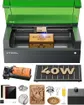 Most cutting power in a Class 1 box: 40 W diode, 498 × 319 mm bed, about $1,819xTool S1 40W Enclosed Diode Laser40 W diode · Enclosed · 498 × 319 mm8.5Price tier: PremiumCheck price
 Best for metal: 60 W MOPA fiber plus 40 W diode, color marking, about $5,099xTool F2 Ultra 60W MOPA & 40W Diode60 W dual laser · Galvo (portable) · 220 × 220 mm8.5Price tier: ProCheck price
Choosing a laser engraver in 2026 means sorting through four kinds of machine, wattage claims that often describe electrical input rather than laser output, and lids that look safe but don’t all carry a Class 1 rating. This ranking cuts through that. We compared 16 diode, CO2, fiber and dual-laser machines using live Amazon listings, manufacturer spec tables and independent reviews from outlets such as Tom’s Hardware, TechRadar, Make: and Creative Bloq.
We don’t run a test workshop, so this is a research-based ranking, not a hands-on one. Where a test result appears, we name the outlet that ran it. Prices are what Amazon showed on October 29, 2026; laser prices move a lot, so check today’s price before you buy.
The shortlist
| Rank | Laser | Type | Output | Work area | Laser class | Price | Best for |
|---|---|---|---|---|---|---|---|
| 1 | xTool P2S | Enclosed CO2 | 55 W | 600 × 305 mm | Class 4 | ~$2,919 | Best overall |
| 2 | xTool M2 10W | Enclosed diode | 10 W | 426 × 320 mm | Class 1 | ~$499 | Beginners |
| 3 | Falcon A1 Pro | Enclosed diode | 20 W | 358 × 268 mm | Class 1 | ~$1,099 | Value enclosed |
| 4 | xTool F2 | Galvo diode + IR | 15 W + 5 W | 115 × 115 mm | Class 4 | ~$1,219 | Portable |
| 5 | Falcon A1C 10W | Enclosed diode | 10 W | 150 × 150 mm | Class 1 | ~$380–400 | Budget |
| 6 | xTool S1 40W | Enclosed diode | 40 W | 498 × 319 mm | Class 1 | ~$1,819 | Cutting in a Class 1 box |
| 7 | xTool F2 Ultra | Galvo MOPA + diode | 60 W + 40 W | 220 × 220 mm | Class 4 | ~$5,099 | Metal |
The laser type decides what a machine can process at all. Blue diodes handle wood, leather, dark acrylic and coated metal. CO2 adds clear acrylic and glass. Fiber is the metal specialist. Galvo machines steer the beam with mirrors, so they’re very fast over a small area.
The affordable all-rounder: engraves and cuts wood, leather, cardboard and dark acrylic, and engraves coated metal. Can't cut clear acrylic or mark bare metal. Slower cutting than CO2.
Typical: 10–40 W output, $300–$2,000The cutting machine: faster, cleaner cuts in wood and every color of acrylic, plus glass etching. Bigger, needs water cooling and serious venting. Can't mark bare metal without a compound.
Typical: 40–55 W desktop, $2,000–$7,000The metal specialist: marks and deep-engraves stainless, aluminum, brass, silver and gold, and many plastics. Poor at wood and useless for clear acrylic or cutting sheet goods.
Typical: 20–60 W, $1,500–$5,000Mirrors steer the beam instead of a moving gantry, so it's extremely fast over a small field — ideal for personalizing many small items. Often dual-source (diode + IR) in hobby machines.
Typical: ~100 × 100 mm field, $500–$2,500If you’re unsure which type fits your projects, read diode vs CO2 vs fiber first, or check individual materials in the material checker.
1. xTool P2S: Best overall
The xTool P2S is the most capable machine here that a home maker or small shop can realistically fit and afford. Its 55 W CO2 tube cuts 18 mm basswood and 20 mm acrylic in one pass by xTool’s figures, and unlike any blue diode it cuts clear acrylic and frosts glass. The Gadgeteer’s reviewer called it outstanding and singled out how it handles every kind of acrylic, from clear to glitter and mirrored.
CO2 lasers used to mean fiddly setup. The P2S has dual 16 MP cameras, LiDAR autofocus, curved-surface engraving, a 600 × 305 mm bed and a passthrough for stock up to 3 m long. LightBurn works too, though without camera or autofocus support. The price has fallen to about $2,919 on Amazon from a $4,199 launch price.
The trade-offs are real. It weighs 99 lb and is about a meter wide, so it needs a sturdy bench. It’s rated Class 4 despite the lid, and it needs a duct to the outdoors or xTool’s AP2 purifier (about $919). The glass tube is a wear item: xTool quotes about 95% power at 1,000 hours and about 70% at 6,000–8,000 hours. If you can’t vent a CO2, look at the S1 or the A1 Pro below. Check the P2S price.
2. xTool M2 10W: Best for beginners
The xTool M2 is the laser we’d hand a nervous first-timer. It arrives assembled, it’s Class 1 certified by TÜV SÜD, and two cameras plus autofocus make placing a design on a blank drag-and-drop. The 426 × 320 mm bed is generous for the price, and air assist and an exhaust fan are built in. Tom’s Hardware gave it an Editor’s Choice award.
The base 10 W head is an engraver that cuts thin stock: xTool rates it at 8 mm basswood and 3 mm black acrylic in one pass. The upgrade path is the M2’s strength: magnetic heads swap in 20 W or 40 W diodes, a 3 W IR head for metal and plastic, or a CMYK inkjet. The catches are that it runs xTool Studio only (no LightBurn), it’s a 2026 launch without a long reliability record, and the add-ons push the total toward a Falcon A1 Pro or S1. About $499; check the M2 price. More picks for first-timers are in our best laser engraver for beginners guide.
3. Creality Falcon A1 Pro 20W: Best value enclosed
The Falcon A1 Pro packs a 20 W diode, built-in air assist, a camera, roughly 3-second autofocus, a touchscreen and Wi-Fi into a Class 1 enclosure for about $1,099. That’s around $700 less than the S1, and it supports LightBurn as well as Creality’s free software. An optional 2 W 1064 nm IR head swaps in without tools for bare metal and plastics.
Its bed (358 × 268 mm) is smaller than the cheaper Falcon A1’s, Gadget Review and owners report spotty Wi-Fi, and Creality’s 10 mm basswood figure doesn’t state a pass count. Watch the listing title, which says “180W”: that’s electrical input, and the laser is 20 W. On October 29, 2026, the rotary bundle was priced below the bare machine on Amazon, so compare both. Check the A1 Pro price, or read Falcon A1 vs Falcon A1 Pro.
4. xTool F2: Best portable
The xTool F2 weighs 4.6 kg and pairs a 15 W blue diode with a 5 W IR laser. The diode handles wood, leather and dark acrylic; the IR marks bare stainless, gold, silver and titanium. As a galvo, it moves the beam with mirrors at up to 6,000 mm/s, and xTool quotes a business card in about 3 seconds. A 50 MP camera with autofocus handles batch positioning.
It’s built for craft fairs and pop-up personalization, not for cutting sheets. The field is 115 × 115 mm (400 × 115 mm with the slide extension), cutting 15 mm basswood takes multiple passes, and it works only with xTool Studio. It’s Class 4: the shield isn’t a Class 1 enclosure, so you need eyewear rated for both 455 nm and 1064 nm. About $1,219; check the F2 price.
5. Creality Falcon A1C 10W: Best budget
The Falcon A1C proves a Class 1 laser no longer has to cost $500. For about $380–400 you get an enclosed 10 W diode with autofocus, an AI placement camera, flame and tilt lockouts and LightBurn support. TechRadar was impressed with it and noted that the fully enclosed design scores well over open-frame machines.
The limit is the 150 × 150 mm bed, which fits one 90 mm coaster at a time. Creality publishes no cut depth, and 3DPrinting.com only just got through 5 mm plywood in one pass. There’s no air assist, and Wi-Fi setup runs through the phone app on 2.4 GHz only. A 1.2 W IR module swaps in for bare stainless. Check the A1C price, or see all our budget picks.
6. xTool S1 40W: Most cutting power in a Class 1 box
The xTool S1 40W is the enclosed diode to buy when cutting matters and the machine has to live in a home office or classroom. xTool claims 18 mm cherry wood in a single pass, the 498 × 319 mm bed is the largest of the enclosed diodes here, and it adds multi-point autofocus, curved-surface engraving, five flame sensors and LightBurn support.
There’s no camera (positioning uses the laser head), air assist is an add-on, and like every blue diode it can’t cut clear acrylic. Availability is the bigger question. The only Amazon listing, at about $1,819, is titled “Rotary Bundle,” so confirm what’s in the box, and xTool’s Canadian store lists the S1 under clearance. Check the S1 price, and see xTool S1 vs xTool P2S if you’re deciding between them.
7. xTool F2 Ultra: Best for metal
If metal is your main material, the xTool F2 Ultra is the best tool here. Its 60 W MOPA fiber deep-engraves, embosses and color-marks stainless and titanium and cuts 2 mm brass and stainless by xTool’s figures. A 40 W diode handles wood and leather. Tom’s Hardware called it “the best experience we’ve had with metal engraving” and one of the best lasers it has seen for a small business. LightBurn 2.2.0 and later works with it, though LightBurn calls that support preliminary.
At about $5,099 for the dual-laser version (about $4,099 for MOPA only), it’s overkill for marking the odd tumbler. It’s Class 4: conveyor and rotary jobs run with the lid open, and no goggles come in the box. Check the F2 Ultra price. Cheaper metal options are in our best laser engraver for metal guide.
Price vs. score across every laser we track
The chart plots our score against the lowest Amazon price we saw for each machine’s base bundle. Dots further right and lower are better value.
Hover or tap a dot for details. Full numbers are in the comparison chart.
Also worth a look
- xTool P3 (about $6,300–7,900): an 80 W, Class 1 CO2 with a 915 × 458 mm bed, a built-in chiller and fire suppression. Tom’s Hardware found it fast, accurate and slick. It weighs 231 lb and runs xTool Studio only. Production shops only.
- xTool F1 Ultra (about $2,499): 20 W fiber plus 20 W diode in one enclosed galvo. Our pick for small businesses that personalize metal and wood.
- Creality Falcon A1 10W (about $549): Class 1, a 381 × 305 mm bed and a camera. USB-only with manual focus, and the “80W” in its title is electrical input.
- Longer Ray5 40W (about $648) and Atomstack A20 Pro V2 (about $390): the most diode power per dollar, but both are open-frame Class 4 machines, and we found no major-outlet review of either version.
- ComMarker B4 20W (about $1,400–1,720): an affordable open-beam fiber marker for metal. ComMarker lists it as clearance in favor of the B6.
- OMTech K40+ (about $760–800): the cheapest way here to cut clear acrylic, with water cooling and mirror alignment to learn. Its “45W” is a tube rating, not measured output.
- Glowforge Aura (about $1,104): very simple, but only 6 W and cloud-dependent. Glowforge went through an Assignment for the Benefit of Creditors in November 2025 before its co-founders bought back the assets, and the Amazon offer we saw came from a third-party seller with low stock.
- LaserPecker LP5 (about $2,899): fiber plus diode in a 6 kg kit. It’s Class 4 unless you add the enclosure, and Tom’s Hardware found the software clunky.
How we chose
Every pick starts with the same data for all 16 machines: optical output, work area, laser class, air assist, camera and autofocus, software, maker cut claims and Amazon price. We cross-check specs against the manufacturer’s spec page and at least one independent review, and we note where they disagree (OMTech’s own K40+ cut figures, for example, conflict). The full method is on how we research.
Scores weight performance at 35%, ease of use at 25%, safety and build at 20%, and value at 20%. Two rules shape the ranking more than anything else:
- Optical output only. Listing titles often quote electrical input: the Falcon A1 “80W” is 10 W, the A1 Pro “180W” is 20 W, and the Atomstack A40 Pro V2’s “48W” is a 40 W module. We never rank on title wattage. Our wattage explainer shows how to read a listing.
- Laser class as rated. A lid isn’t the same as a Class 1 rating. The FDA treats Class 1 as non-hazardous, while Class 4 is an immediate eye and skin hazard from direct or reflected beams and may present a fire hazard. We score Class 1 machines higher on safety and say clearly when an enclosed-looking machine is Class 4.
We also mark down machines without an independent review (the A20 Pro V2 and Ray5 40W) and flag availability risks such as clearance stock.
Budget for the extras
The machine price is never the whole bill. Plan on these before your first job:
- Ventilation for every laser. Run the exhaust to a window or wall vent, or buy a purifier if you can’t. A 4-inch inline fan (about $90) and 25 ft of foil duct (about $19) cover most window setups; xTool’s desktop purifier is about $249 and its AP2 is about $919. Details are in our ventilation guide.
- Eye protection for open frames and galvos. Everyone in the room needs glasses rated for the laser’s wavelength: 445–455 nm for blue diodes, 1064 nm for fiber and IR. Blue-diode glasses don’t stop a 1064 nm beam.
- Fire safety for all of them. A small ABC extinguisher (about $63) and a fire blanket (about $40 for two). Never leave a job running unattended.
- Air assist if your machine lacks it. The A20 Pro V2’s F80 pump is about $110 on its own.
| Item | Type | Fits | Buy |
|---|---|---|---|
| Amerex B417T 2.5 lb ABC fire extinguisher with bracket Lasers cut by burning; a small ABC extinguisher mounted beside the machine is the cheapest fire insurance you can buy. | Safety | Any laser (Dry-chemical powder can ruin a laser's optics and electronics; LightBurn recommends a CO2 extinguisher for the machine itself.) | Check price |
| Amerex 322 5 lb carbon dioxide (CO2) fire extinguisher Class B:C CO2 leaves no powder residue, so it puts out a fire in the machine without destroying the optics. Pricier than ABC; not rated for Class A (wood/paper) fires on its own, so keep a fire blanket too. | Safety | Any laser | Check price |
| CARLANY 190–490 nm OD6+ laser safety glasses Blue-diode protection for anyone near an open-frame laser, or when you lift the lid or override an interlock on an enclosed one. | Safety | Any laser (Covers 445–455 nm blue diodes only; does not protect against 1064 nm IR/fiber or 10.6 µm CO2. Match the OD rating to your laser's wavelength.) | Check price |
| Cloudray 1064 nm laser safety goggles The invisible 1064 nm beam of fiber and IR lasers needs its own eyewear; blue-diode glasses won't stop it. | Safety | ComMarker B4 20W, xTool F2, xTool F1 Ultra, xTool F2 Ultra, LaserPecker LP5, Falcon A1C 10W, Falcon A1 Pro (For 1064 nm sources only. Dual-laser machines need protection for both wavelengths; check the OD rating on the listing.) | Check price |
| Prepared Hero emergency fire blanket, 39 × 39 in (2-pack) Smothers a flare-up on the bed without coating the machine's optics in extinguisher powder. | Safety | Any laser | Check price |
Rotaries, riser bases and materials add more if you plan to engrave tumblers or sell products; our accessories worth buying guide sorts the useful ones from the rest, and the safety guide covers setup.
How to pick from this list
- You can vent outdoors and want to cut thick wood or clear acrylic: xTool P2S.
- First laser, shared home, gifts and crafts: xTool M2 10W.
- Enclosed, standalone and real 20 W cutting under about $1,100: Falcon A1 Pro.
- Craft fairs and on-the-spot personalization: xTool F2.
- Smallest budget, small items only: Falcon A1C.
- Thick cuts in a Class 1 box for a classroom or office: xTool S1 40W, if you can find stock.
- Metal is the business: xTool F2 Ultra, or the ComMarker B4 on a budget.
Still unsure? The laser matcher filters all 16 machines by material, workspace and budget, and how to choose a laser engraver walks through the decisions that matter.
Frequently asked questions
What is the best laser engraver in 2026?
Is a diode or CO2 laser better for a beginner?
Do I need goggles with an enclosed laser engraver?
How much should I spend on a laser engraver?
Sources
- FDA: Laser Products and Instruments (laser hazard classes) · checked 2026-10-30 — Class I lasers are considered non-hazardous; Class IV lasers are an immediate eye and skin hazard from direct or reflected beams and may present a fire hazard.
- The Gadgeteer: xTool P2S 55W Desktop CO2 Laser Cutter review · checked 2026-10-30 — The reviewer called the P2S an outstanding machine and praised its ability to cut clear, colored, glitter and mirrored acrylic.
- Tom's Hardware: xTool M2 color craft laser and engraver review · checked 2026-10-30 — Editor's Choice; the enclosed M2 claims Class 1 safety, preventing accidental exposure to the Class 4 diode inside.
- Tom's Hardware: xTool F2 Ultra fiber laser review · checked 2026-10-30 — Called the F2 Ultra 'the best experience we've had with metal engraving' and one of the best lasers it has seen for a small business.
- TechRadar: Creality Falcon A1C laser engraver review · checked 2026-10-30 — The fully enclosed design scores points over open-frame machines; the work area is small.
Get new guides by e-mail
One short e-mail when Laser Engravers Guide publishes a new guide. No spam, no sharing your address, and you can unsubscribe in one click.