Diode vs CO2 vs Fiber Laser: Which Type Do You Actually Need?
Our top picks
 Diode, easiest start: Class 1 enclosure, two cameras, about $499xTool M2 10W Color Craft Laser10 W diode · Enclosed · 426 × 320 mm8.5Price tier: BudgetCheck price on Amazon
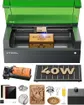 Diode, most cutting power in a Class 1 box: 40 W, about $1,819xTool S1 40W Enclosed Diode Laser40 W diode · Enclosed · 498 × 319 mm8.5Price tier: PremiumCheck price
 CO2 all-rounder: 55 W, cuts clear acrylic, about $2,919xTool P2S 55W Desktop CO2 Laser55 W co2 · Enclosed · 600 × 305 mm8.7Price tier: PremiumCheck price
 Budget CO2: clear acrylic and glass for about $760–800, if you can tinkerOMTech K40+ 45W Desktop CO2 Laser45 W co2 · Enclosed · 300 × 200 mm7.0Price tier: Mid-rangeCheck price
 Budget fiber for bare metal: 20 W, two lenses, about $1,399–1,719ComMarker B4 20W Fiber Laser20 W fiber · Galvo (portable) · 200 × 200 mm7.2Price tier: Mid-rangeCheck price
 Fiber + diode in one box for wood and metal: about $2,499xTool F1 Ultra 20W Fiber & Diode20 W dual laser · Galvo (portable) · 220 × 220 mm8.2Price tier: PremiumCheck price
The type of laser you buy decides what you can make more than any other spec. Wattage, bed size and software all matter, but they only change how well a machine handles a material. The light source decides whether it can touch that material at all. This guide explains the three types home and small-shop buyers choose between (blue diode, CO2 and fiber), what each one cuts and marks, and what it’s like to own one. We research from maker documentation, independent reviews and live listings rather than running our own lab; see how we research for details.
The affordable all-rounder: engraves and cuts wood, leather, cardboard and dark acrylic, and engraves coated metal. Can't cut clear acrylic or mark bare metal. Slower cutting than CO2.
Typical: 10–40 W output, $300–$2,000The cutting machine: faster, cleaner cuts in wood and every color of acrylic, plus glass etching. Bigger, needs water cooling and serious venting. Can't mark bare metal without a compound.
Typical: 40–55 W desktop, $2,000–$7,000The metal specialist: marks and deep-engraves stainless, aluminum, brass, silver and gold, and many plastics. Poor at wood and useless for clear acrylic or cutting sheet goods.
Typical: 20–60 W, $1,500–$5,000Mirrors steer the beam instead of a moving gantry, so it's extremely fast over a small field — ideal for personalizing many small items. Often dual-source (diode + IR) in hobby machines.
Typical: ~100 × 100 mm field, $500–$2,500Why wavelength matters
A laser cuts or engraves by dumping energy into a material until it burns, melts or vaporizes. That only works if the material absorbs the light. xTool’s material processing guide puts it simply: the wavelength decides how much energy a material can absorb, and the power decides how deep and how fast it cuts. Light that’s reflected or passes straight through does nothing useful.
The three common hobby wavelengths behave very differently:
- Blue diode, about 455 nm. Visible blue light. Wood, leather, cardboard and dark materials absorb it well. Transparent and very light materials let it pass through or bounce it back.
- CO2, 10.6 µm. Far infrared, roughly 23 times longer than a blue diode’s wavelength. Most non-metals absorb it readily, including clear acrylic and glass. Metals reflect most of it, so a CO2 “can hardly process metal directly,” in xTool’s words.
- Fiber, 1064 nm. Near infrared. xTool notes that most metals absorb it far better than blue or CO2 light, which is why fiber is the standard for bare-metal marking. Wood is the weak spot: xTool doesn’t recommend a fiber for uncoated wood.
Some machines add a small 1064 nm IR diode (2–5 W) next to a blue diode. It shares fiber’s wavelength but not its power, so think of it as a light metal and plastic marker, not a substitute for a real fiber source.
What each type cuts and marks
| Material | Blue diode | CO2 | Fiber | UV |
|---|---|---|---|---|
| Basswood / birch plywood | ✓✓ Cuts & engraves | ✓✓ Cuts & engraves | ✕ Doesn't work | ✓ Engraves / marks |
| Clear cast acrylic | ✕ Doesn't work | ✓✓ Cuts & engraves | ✕ Doesn't work | ✓ Engraves / marks |
| Black / opaque colored acrylic | ✓✓ Cuts & engraves | ✓✓ Cuts & engraves | ✓ Engraves / marks | ✓ Engraves / marks |
| Genuine leather (veg-tanned) | ✓✓ Cuts & engraves | ✓✓ Cuts & engraves | ✕ Doesn't work | ✓ Engraves / marks |
| Slate & dark stone | ✓ Engraves / marks | ✓ Engraves / marks | ✓ Engraves / marks | ✓ Engraves / marks |
| Glass | ◐ Only with prep | ✓ Engraves / marks | ✕ Doesn't work | ✓ Engraves / marks |
| Anodized aluminum | ✓ Engraves / marks | ✓ Engraves / marks | ✓ Engraves / marks | ✓ Engraves / marks |
| Powder-coated & painted metal (tumblers) | ✓ Engraves / marks | ✓ Engraves / marks | ✓ Engraves / marks | ✓ Engraves / marks |
| Bare stainless steel | ◐ Only with prep | ◐ Only with prep | ✓ Engraves / marks | ✓ Engraves / marks |
| Bare aluminum, brass, silver & gold | ✕ Doesn't work | ✕ Doesn't work | ✓ Engraves / marks | ✓ Engraves / marks |
| PVC, vinyl & faux leather | ⛔ Never — hazardous | ⛔ Never — hazardous | ⛔ Never — hazardous | ⛔ Never — hazardous |
Full list with notes in the material checker. Cut thickness depends heavily on power and passes.
The pattern in that table follows from the physics above.
Blue diodes cut and engrave wood, plywood, leather, cork, paper, felt and dark opaque acrylic, and they engrave slate, anodized aluminum and powder-coated tumblers. They can’t cut clear acrylic, because the beam goes straight through it, and they struggle with blue, white and transparent colors. Several makers list stainless steel as diode-engravable, but on bare stainless a blue diode leaves a slow, dark, low-contrast mark. Glass and glazed ceramic need paint or a marking compound first.
CO2 lasers do everything on the diode list, generally faster and with cleaner edges, and add the materials that sell many buyers on CO2: clear and colored cast acrylic (cut with flame-polished edges), glass etching and a wider range of acrylic colors. What CO2 can’t do is mark bare metal. You can engrave coated or anodized metal, or use a marking spray, but that’s it.
Fiber lasers mark and deep-engrave bare stainless, aluminum, brass, silver and gold, and many plastics. Higher-power fibers can cut thin sheet metal; the xTool F1 Ultra listing quotes 0.3 mm stainless and 0.4 mm brass. They’re poor at wood, useless on clear acrylic and won’t cut sheet goods like plywood. A Q-switched fiber like the 20 W ComMarker B4 makes black, white and gray marks. Color marking on stainless and titanium needs a MOPA source, such as the one in the xTool F2 Ultra.
Whatever the type, some materials are off limits: never laser PVC, vinyl, faux leather, polycarbonate, ABS, HDPE, foam or fiberglass. PVC and vinyl release chlorine gas that harms your lungs and corrodes the machine. Check any material in the material checker before you put it on the bed, and read what materials a laser can cut for the full list.
Speed and cutting power
Wattage comparisons only work within one type. A 40 W diode and a 55 W CO2 can carry similar maker claims (xTool says both the S1 40W and the P2S cut 18 mm wood in a single pass), but the CO2 also cuts 20 mm acrylic, including clear, which no diode can. Listing titles muddy this further: the Creality Falcon A1 is sold as “80W” and is a 10 W optical laser. Our wattage explainer covers how to read the numbers.
Format matters as much as source. Diode and CO2 machines usually move the head on a gantry, which tops out around 600 mm/s on the machines we track. Fiber machines are almost always galvo: mirrors steer the beam over a small field, so they’re rated at 10,000–15,000 mm/s. xTool’s guide notes that galvo machines avoid the vibration and skipped steps a fast gantry can suffer. The catch is field size, with the F1 Ultra at 220 × 220 mm and the B4 at up to 200 × 200 mm. So a galvo is very fast at personalizing many small items and useless for a 2-foot sign.
Maintenance and running costs
Diode machines are the simplest to own. There’s no gas, no water loop and no mirrors to align. You clean the lens, keep the bed and rails clean, and eventually replace the module. Creality rates its 10 W diode modules for up to 20,000 hours at nominal current with proper cooling, according to its Falcon A1 comparison.
CO2 machines have more upkeep. The beam comes from a sealed glass tube that needs water cooling. The P2S has a built-in water tank and cooling loop that its alert system monitors, while the budget OMTech K40+ uses a pump in a bucket or an optional chiller. The beam also travels through mirrors that need cleaning and periodic alignment. And the tube is a wear part: xTool says the P2S tube lasts 6,000–8,000 hours, dropping to about 95% power at 1,000 hours and about 70% by the end. OMTech covers K40+ tubes for six months.
Fiber sources have no tube or water loop and need little routine care beyond keeping the lens clean. The trade-off is up-front cost, and budget fibers tend to be bare tools: the B4 has manual focus, no camera and ships with EZCAD2, which is clunky next to LightBurn (a paid galvo license).
Cost
Using the lowest Amazon prices we tracked on October 29, 2026 (check today’s price before you buy):
| Type | Entry point | Typical range in our guide | Examples |
|---|---|---|---|
| Blue diode | About $379–399 | About $379–1,819 | Falcon A1C, xTool M2, S1 40W |
| CO2 | About $760–800 | About $760–7,899 | OMTech K40+, xTool P2S, xTool P3 |
| Fiber (alone) | About $1,399 | About $1,399–2,399 | ComMarker B4 20W and its 30/50 W versions |
| Dual (diode + IR or fiber) | About $1,219 | About $1,219–5,099 | xTool F2, F1 Ultra, F2 Ultra |
Budget beyond the machine for ventilation, eye protection where needed, a fire extinguisher and materials. The accessories guide lists what’s worth buying.
Safety
Every type burns material and makes smoke, so every laser needs ventilation: a duct to the outside or a rated purifier. Our ventilation guide covers both. Never leave a job running unattended, and keep an extinguisher and a fire blanket within reach.
Eye safety depends on the machine’s class, not its type. The FDA treats Class 1 products as non-hazardous in normal use and Class 4 as an immediate eye and skin hazard from the direct or reflected beam, as well as a fire hazard. Among the machines we track, the M2, Falcon A1C, A1, A1 Pro, Glowforge Aura, S1 and P3 are Class 1. The P2S, F1 Ultra, F2 and F2 Ultra are rated Class 4 despite their lids. The LaserPecker LP5 is Class 4 unless you add its enclosure, and the ComMarker B4 is an open-beam marker.
If anyone will be near an open or Class 4 machine, they need glasses rated for that exact wavelength. Blue-diode glasses such as the CARLANY 190–490 nm OD6+ don’t protect against the invisible 1064 nm beam of fiber and IR lasers, which needs its own eyewear like the Cloudray 1064 nm goggles. Dual-source machines need protection for both. The safety guide goes deeper.
Which type should you buy?
- Mostly wood, leather, cardboard and coated tumblers, in a home or classroom: an enclosed blue diode. The xTool M2 is the easiest start; the xTool S1 40W is the strongest Class 1 cutter. See the best laser engravers for beginners.
- Clear acrylic, glass, or lots of thick cutting, and you can vent outside: CO2. The xTool P2S is our best overall pick; the OMTech K40+ is the budget route if you’ll tinker. Our S1 vs P2S comparison walks through that decision.
- Bare metal (jewelry, tags, tools, knives): fiber. Start with the ComMarker B4, or read the best laser engravers for metal.
- Both metal and organics for a small business: a dual machine like the xTool F1 Ultra. Our F1 Ultra vs LaserPecker LP5 comparison covers the two main options.
Still torn? The laser matcher filters every machine we track by your materials, space and budget.
Frequently asked questions
Is a diode or CO2 laser better for a beginner?
Can a diode laser engrave metal?
Can a fiber laser cut wood?
Why can't a blue diode cut clear acrylic?
Sources
- xTool Support: Material Processing Guide · checked 2026-10-30 — Wavelength decides what a material absorbs; metals absorb 1064 nm better than 455 nm or 10.6 µm; clear acrylic transmits visible light; fiber isn't recommended for uncoated wood; galvo machines run faster than flatbed gantries.
- xTool: Fiber Laser vs. CO2 Laser vs. Diode Laser · checked 2026-10-30 — Diode for wood and leather, CO2 for the widest range of non-metals including clear acrylic and glass, fiber for metals and plastics; diode is cheapest, fiber most expensive.
- FDA: Laser Products and Instruments (hazard classes) · checked 2026-10-30 — Class I is considered non-hazardous; Class IV is an immediate eye and skin hazard from direct or reflected beams and may present a fire hazard.
- xTool P2S 55W desktop CO2 laser product page · checked 2026-10-30 — Glass tube life of 6,000–8,000 hours, with power at about 95% after 1,000 hours and about 70% at 6,000–8,000 hours.
- Creality: Falcon A1 vs. A1 Pro, key differences · checked 2026-10-30 — Creality rates its 10 W (445–455 nm) diode modules for up to 20,000 hours at nominal current with proper cooling.
Get new guides by e-mail
One short e-mail when Laser Engravers Guide publishes a new guide. No spam, no sharing your address, and you can unsubscribe in one click.