LightBurn vs. xTool Creative Space (Now xTool Studio): Which Software Do You Need?
Our top picks
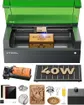 Runs both xTool Studio and LightBurnxTool S1 40W Enclosed Diode Laser40 W diode · Enclosed · 498 × 319 mm8.5Price tier: PremiumCheck price on Amazon
 Free Falcon Design Space, or LightBurn CoreCreality Falcon A1 Pro 20W20 W diode · Enclosed · 358 × 268 mm8.2Price tier: Mid-rangeCheck price
 xTool Studio only, and that's fine for most beginnersxTool M2 10W Color Craft Laser10 W diode · Enclosed · 426 × 320 mm8.5Price tier: BudgetCheck price
The software question usually comes up after people have chosen a machine, when it should come up before. A laser that only runs its maker’s app is easier to start with but harder to leave; a LightBurn-compatible machine gives you one tool that works across brands. This guide compares the two options xTool owners most often weigh, using maker documentation and our comparison data. We haven’t run a hands-on software test.
First, the name: Creative Space is now xTool Studio
xTool Creative Space (XCS) was xTool’s free design-and-control app for years. xTool has replaced it with xTool Studio. According to xTool’s support center, the final XCS version was 2.7 in June 2025, new devices and features go only into Studio, and the P3, F2 and F2 Ultra are supported only in Studio. Studio and XCS install separately, so updating doesn’t delete XCS, and xTool provides a guide for migrating material parameters. Our data lists software as “xTool Creative Space / xTool Studio” for older machines like the S1 and P2S, which ran XCS at launch.
Everything below about xTool’s software applies to Studio.
Which machines support which
| Machine | Maker software (free) | LightBurn support |
|---|---|---|
| xTool M2 10W | xTool Studio | No |
| xTool F2 | xTool Studio | Preliminary, LightBurn 2.2+ |
| xTool F1 Ultra | xTool Studio | Yes, LightBurn 2.2+ on current firmware |
| xTool P3 | xTool Studio | No |
| xTool S1 40W | Creative Space / Studio | Yes |
| xTool P2S | Studio / Creative Space | Yes, but xTool’s cameras don’t work |
| xTool F2 Ultra | xTool Studio | Preliminary, LightBurn 2.2+ |
| Creality Falcon A1C, A1, A1 Pro | Falcon Design Space | Yes |
| Atomstack A20 Pro V2 | Atomstack app, LaserGRBL | Yes |
| Longer Ray5 40W | LaserBurn, LaserGRBL | Yes |
| OMTech K40+ | LaserGRBL (pre-installed) | Yes |
| ComMarker B4 | EZCAD2 | Yes, with a galvo-capable license |
| LaserPecker LP5 | LaserPecker Design Space | Yes |
| Glowforge Aura | Glowforge web app | No |
How xTool’s LightBurn support stands. LightBurn 2.2 added an xTool device type. Its support table (dated October 6, 2026) lists the S1, F1, F1 Ultra and P2S as supported, and the F2, F2 Ultra, F2 Ultra Single and P2 as “functional, but needs further testing”. It lists the P3, M1, M1 Ultra and M2 as unsupported. The F1 Ultra needs current xTool firmware (40.52.016.05 or higher for the Class 4 model, 40.53.007.05 or higher for the Class 1 model). xTool’s F2 FAQ, updated October 12, 2026, answers “Yes” to LightBurn, and both companies call F2 support preliminary. LightBurn also says xTool’s built-in cameras aren’t supported yet, so camera placement stays an xTool Studio feature. Our advice: if LightBurn is a must, buy a machine with long-established support (the S1, P2S or any Creality), and treat F-series support as a bonus that’s still maturing.
What each costs
xTool Studio: free with xTool machines. Its AI design tools use paid credits, but the core design and machine-control features don’t.
Other maker apps: Falcon Design Space, Atomstack’s app, LaserBurn and LaserGRBL are free.
LightBurn, per its pricing page:
| LightBurn Core | LightBurn Pro | |
|---|---|---|
| Price | $99 one-time | $199 one-time |
| Runs | GCode lasers (GRBL, Marlin, Smoothieware) | Everything in Core plus DSP (Ruida, TopWisdom, Trocen, Epilog) and galvo (EZCad2, EZCad3, BSL) controllers |
| Updates | One year included, then $40/year (optional) | Same |
| Extra | True Nest |
Both licenses are perpetual: when the update year ends, the version you have keeps working. Upgrading Core to Pro later costs $100. LightBurn offers a free trial from its download page.
Which license fits our machines? The Creality Falcons, Atomstack and Longer are GCode diodes, so Core. The ComMarker B4 runs EZCAD2, a galvo controller, so Pro; our data notes its LightBurn galvo license is sold separately. The K40+ ships with LaserGRBL, which suggests a GRBL controller and Core, but confirm with OMTech. For xTool and LaserPecker machines, check LightBurn’s hardware compatibility matrix before buying a license.
Glowforge is different: the Aura needs Glowforge’s cloud and Wi-Fi to run, and Reviewed put its Premium subscription, which unlocks the best of the design catalog, at $239 a year. Glowforge’s late-2025 restructuring through an Assignment for the Benefit of Creditors, after which its co-founders bought back the assets, makes a cloud-tethered workflow a bigger bet than a local app.
How the workflows differ
xTool Studio: built around the hardware
Studio’s strength is that it knows the machine. On camera-equipped xTool lasers you see the bed, drag the design onto the blank and frame it. xTool lists batch fill for runs of personalized pieces, smart nesting, rotary and result previews, a material library with parameter presets, more than 10,000 templates and AI image tools. It runs on Windows and macOS and works with mobile devices, and xTool says one computer can control several xTool devices.
Machine-specific features stay in Studio. Per xTool, LightBurn on the S1 handles focusing, framing and the RA2 Pro rotary but not curved-surface mode or material thickness measurement. On the P2S, LightBurn works without camera or autofocus support in our data. For a camera-first beginner on an M2, Studio is the whole point.
LightBurn: one program, more control
LightBurn’s strength is depth and portability. It’s a full design suite (vector editing, image tracing, boolean tools, offsets, variable text for serial numbers or names), plus job tools like kerf offset, 10 image-engraving modes and GCode customization. It supports controllers from many brands, so a shop with a Creality diode and a ComMarker fiber can use one program and one file library. It runs locally on your computer.
The trade-offs: it costs money, it has a steeper learning curve, and on machines with cameras and autofocus from xTool, you lose some of those conveniences.
Who should use which
- First laser, camera-guided, mostly gifts and crafts: use the maker’s free app. xTool Studio on an M2 or Falcon Design Space on a Falcon is enough to learn on. See best laser engraver for beginners.
- You already know LightBurn, or own two brands: buy a LightBurn-compatible machine. The S1 40W and P2S give you xTool hardware with a LightBurn escape hatch; the Falcon A1 Pro (about $1,099) runs on a $99 Core license.
- Small business doing serial numbers and batch jobs: both work. Studio’s batch fill suits camera-placed runs on xTool machines; LightBurn’s variable text and nesting suit mixed-brand shops. See best laser engraver for small business.
- Fiber metal marking: EZCAD is clunky, and LightBurn Pro is the common upgrade for machines like the ComMarker B4.
- You want a guaranteed future: prefer local software (Studio’s desktop app, LightBurn or a maker app) over a cloud-only workflow.
Bottom line
Start with the free maker software. xTool Studio is a good app built around xTool’s cameras, and it’s the only option on the M2 and P3, and the only way to use xTool’s cameras on any machine. Pay for LightBurn when you need one program across machines, more control over cuts and text, or a workflow that isn’t tied to one brand, and in that case buy hardware with established LightBurn support. Prices for machines change often, so check today’s price, but the $99 or $199 LightBurn license is a one-time cost.
Frequently asked questions
Is xTool Creative Space still available?
Does xTool work with LightBurn?
Do I need LightBurn Core or Pro?
Is xTool Studio free?
Sources
- LightBurn: Which version of LightBurn is right for you? · checked 2026-10-30 — Core $99 (GCode lasers), Pro $199 (adds DSP and galvo controllers); perpetual licenses with a year of updates; renewals $40/year; Core-to-Pro upgrade $100
- LightBurn User Guide (2.2): xTool device support · checked 2026-10-30 — xTool cameras not yet supported; support table as of Oct 6, 2026 lists S1, F1 Ultra, P2S as supported, F2 family as functional but needing testing, P3, M1 Ultra and M2 as unsupported
- xTool Support: Transition from XCS to xTool Studio · checked 2026-10-30 — Final XCS version is 2.7 (June 2025); P3, F2, F2 Ultra and post-August 2025 products are supported only in xTool Studio
- xTool Support: xTool F2 FAQ · checked 2026-10-30 — F2 runs xTool Studio on Windows and macOS with mobile compatibility; FAQ updated Oct 12, 2026 answers yes to LightBurn compatibility
- xTool: xTool Studio Desktop · checked 2026-10-30 — 10,000+ templates, smart nesting, batch fill, rotary and result previews, and control of multiple xTool devices from one computer
Get new guides by e-mail
One short e-mail when Laser Engravers Guide publishes a new guide. No spam, no sharing your address, and you can unsubscribe in one click.